Blog

  • How Stationery Shop Owners Can Go Online and Get More Customers with chotu

    How Stationery Shop Owners Can Go Online and Get More Customers with chotu

    From notebooks to art supplies – put your shop online, reach students and offices nearby, and never miss a bulk order again.

    Every June, thousands of parents in your city are scrambling to buy school supplies for the new academic year. Every month, offices run out of printer paper, pens, and files and need a reliable supplier fast. Every week, students need drawing sheets, project materials, and exam stationery.

    These are all customers ready to buy. The question is – do they know your shop exists?

    If you’re running a stationery shop without an online presence, you’re depending entirely on footfall from people who already know where you are. Every customer who searches online and can’t find you is a sale that went to someone else.

    chotu gives your stationery shop a free digital catalog – so students, parents, offices, and schools can find you, see what you stock, and order directly on WhatsApp.

    Why Stationery Shops Need to Go Online Now

    The stationery business looks simple from the outside – but the competition is real. Big e-commerce platforms like Amazon and Flipkart sell stationery. Supermarkets have started stocking basic supplies. Even kirana stores keep pens and notebooks.

    What they can’t offer is what you can: deep local stock, personalised service, bulk supply on short notice, and the ability to source specific items a customer needs urgently.

    But none of that matters if customers don’t know you exist. A chotu catalog makes sure they find you – and choose you – before going elsewhere.

    What to List on Your Stationery Shop Catalog

    A well-built catalog does the selling for you. Organise your listing to cover every type of customer you serve:

    School & Student Supplies – Notebooks, composition books, drawing books – Geometry boxes, rulers, compasses – Pencils, pens, erasers, sharpeners – Crayons, sketch pens, watercolours – Chart paper, drawing sheets, craft paper – School bags, pencil boxes (if you stock them)

    Office & Corporate Supplies – A4 printer paper (reams) – Files, folders, binders, punch machines – Staplers, staple pins, paper clips – Whiteboard markers, permanent markers – Sticky notes, envelopes, tape – Visiting card holders, desk organisers

    Art & Craft Supplies – Acrylic and poster colours – Canvas sheets, brushes – Origami paper, foam sheets, thermocol – Glue guns, craft scissors

    Exam & Competitive Exam Season Essentials – Answer sheets, supplementary sheets – Highlighters, ball pens in bulk – Index cards, sticky tabs

    Printing & Lamination – if you offer these services, list them clearly with pricing.

    Adding prices – even approximate ones – significantly increases the number of customers who contact you. Nobody wants to call just to ask “how much is a ream of A4 paper?”

    Step-by-Step: Set Up Your Stationery Shop on chotu

    Step 1: Go to owner.chotu.com

    Open owner.chotu.com or select from below display from your phone. Free to join.

    Step 2: Register your shop

    Enter your shop name, city, and WhatsApp number. Select Stationery as your business category.

    Step 3: Build your product catalog

    Start with your most searched and bestselling items – A4 paper, notebooks, pens, geometry boxes. Then add the rest. The more complete your catalog, the more customers you attract across different needs.

    Step 4: Write your shop description

    Keep it short but informative. Tell customers what sets you apart:

    “25 years of serving students, schools, and offices in Ameerpet. Full range of school, office, and art stationery. Bulk orders for schools and corporates welcome. Free delivery for orders above ₹500 within 3 km.”

    If you offer bulk pricing, printing, lamination, or home delivery – say it here. These details convert browsers into buyers.

    Step 5: Add photos

    A photo of your well-stocked shelves, your art supplies section, or your display of notebooks immediately builds trust. Customers who can see your shop feel more confident ordering from you without visiting first.

    Step 6: Share your link strategically

    Once your catalog is live, your chotu link is your most powerful marketing tool. Use it:

    • WhatsApp Status – especially during June (school season) and exam months. “Full stock of school supplies available – check our catalog: [link]”
    • Parent WhatsApp groups – school parent groups, tuition groups, colony groups. One share at the right time brings multiple orders
    • Office building groups – if you’re near an office area, join or get shared in corporate WhatsApp groups for office admins and purchase managers
    • Your shop counter – print a QR code and keep it visible so walk-in customers can save your catalog for future orders
    • After every bulk order – “For repeat orders, just WhatsApp us from this catalog link”

    The Bulk Order Opportunity You’re Missing

    Most stationery shops focus on walk-in retail. But the highest-value orders come from institutions – and they come through relationships and visibility, not footfall.

    Schools need notebooks, chart paper, craft supplies, and exam stationery in bulk – often placed weeks in advance. If a school purchase coordinator finds your catalog online with bulk pricing noted, you’re already ahead of shops they don’t know about.

    Offices need regular restocking of A4 paper, pens, files, and printer supplies. An office admin who places a ₹3,000–5,000 monthly order is worth more than 50 individual walk-in customers.

    Coaching centres and tuition institutes need answer sheets, marker pens, and printing stationery regularly.

    Your chotu catalog positions you as a reliable supplier – not just a neighbourhood shop – and opens the door to these high-value recurring orders.

    Seasonal Peaks Where Your Catalog Works Hardest

    Stationery retail has clear seasonal moments. Use your chotu catalog to maximise each one:

    June – New Academic Year – the biggest season. Parents buying full school kits. Update your WhatsApp status daily with availability and offers.

    October–November – Half-yearly and Annual Exams – students bulk-buying pens, answer sheets, and highlighters.

    January–February – School Sports Day and Annual Day – chart paper, art supplies, craft materials.

    March–April – Financial Year End – offices restocking files, folders, and stationery before year close.

    Year-round – Office Restocking – consistent demand if you’re visible to corporate buyers.

    A simple WhatsApp status update linking to your catalog during each of these windows can drive significant new inquiries.

    Frequently Asked Questions

    “My shop is small. Will this really help?” Absolutely. chotu is built for exactly your type of business – local, independent, serving a specific community. A small shop with a complete, well-presented catalog often wins over larger shops that have no online presence at all.

    “What if I don’t stock everything a customer asks for?” Note in your description that you can source specific items on request. Many customers just want to know you’re the person to call – even if they have to wait a day for special orders.

    “I already have regulars. Why bother going online?” Regulars are valuable but finite. Online visibility brings in new customers – and turns them into new regulars. One school or office account found through your catalog can add consistent monthly revenue for years.

    “Is chotu free?” Yes. The freemium model means you can create and run your full catalog at zero cost.

    Your Shop Has What They Need. Make Sure They Can Find It.

    Students cramming the night before exams. Office admins ordering supplies for Monday. Parents planning the new school year. They’re all searching – and they’ll buy from whoever they find first.

    Make sure that’s you.

    [sell_online]
  • Which Website is Good for Selling Vegetables and Fruits?

    Which Website is Good for Selling Vegetables and Fruits?

    Selling fresh fruits and vegetables online is one of the biggest opportunities in India today. Every household buys tomatoes, onions, leafy greens, bananas, apples, and seasonal produce daily. The question is – which website is best for selling fruits and vegetables online?

    Let’s explore the right option.

    What to Look for in a Website to Sell Vegetables & Fruits

    Before choosing a platform, make sure it offers:

    • Easy store setup
    • Visibility in your local area
    • Mobile-friendly access
    • Simple product listing
    • Direct connection with customers
    • No complex technical setup

    Fresh produce is a fast-moving category. You need something simple, quick, and local-focused.

    chotu – The Best Choice for Local Fruit & Vegetable Sellers

    If you are a vegetable vendor, fruit seller, kirana shop owner, or small farmer, chotu is one of the best platforms to start selling online.

    Why chotu Works Well for Fresh Produce

    1️⃣ Built for Local Commerce

    chotu focuses on helping local businesses get discovered by nearby customers. Fruits and vegetables are hyperlocal products – customers usually buy from nearby shops. chotu matches perfectly with this need.

    2️⃣ Simple Setup

    You don’t need technical knowledge. Within seconds, your shop can go live digitally.

    3️⃣ Product Display Without Complexity

    You can list:

    • Tomatoes
    • Potatoes
    • Onions
    • Spinach
    • Mangoes
    • Apples
    • Seasonal fruits and vegetables

    Customers can see what you sell before visiting or contacting you.

    4️⃣ Helps Customers Find You Easily

    When customers search for vegetable shops or fruit sellers in their area, your store becomes discoverable.

    5️⃣ Designed for Small & Medium Sellers

    Unlike big marketplaces that focus on large brands and warehouses, chotu supports local vendors and small businesses.

    Why Not Only Depend on Big Marketplaces?

    Large e-commerce platforms often:

    • Charge higher commissions
    • Require logistics integration
    • Focus on large-scale sellers
    • Compete with their own inventory

    For daily vegetables and fruits, hyperlocal presence matters more than nationwide shipping.

    That’s why chotu becomes a smarter option for local sellers.

    Who Should Use chotu?

    • Local vegetable vendors
    • Fruit shop owners
    • Farmers selling directly
    • Kirana stores selling fresh produce
    • Organic vegetable sellers

    If your customers are in your area, chotu is ideal.

    Benefits of Selling Fruits and Vegetables Online with chotu

    • Increase visibility in your locality
    • Attract new nearby customers
    • Showcase seasonal stock
    • Build customer trust
    • Strengthen your local brand

    Fresh produce sells daily. Being visible online increases walk-ins and inquiries.

    Final Verdict

    If you are wondering which website is good for selling vegetables and fruits, the answer depends on your business size and target customers.

    For local sellers who want easy setup, local visibility, and simple product showcasing – chotu is the best choice.

    It empowers small businesses, supports neighborhood vendors, and connects you directly with customers searching for fresh fruits and vegetables nearby.

    Start selling smarter.

    Choose chotu and grow your local fruit and vegetable business today.

    [sell_online]

  • How to Market a Biryani Delivery Startup?

    How to Market a Biryani Delivery Startup?

    Biryani isn’t just food in India – it’s an emotion. Whether it’s weekend cravings, office lunches, late-night hunger, or celebrations, biryani is always in demand.

    But starting a biryani delivery business is one thing. Marketing it effectively is what truly drives orders.

    Here’s a practical guide to marketing your biryani delivery startup – smartly and affordably – while using chotu as your growth engine.

    1. Build a Strong Local Presence First

    Biryani is a hyperlocal product. Most customers prefer ordering from nearby kitchens for freshness and fast delivery.

    Start with:

    • Targeting your immediate locality
    • Distributing simple flyers nearby
    • Adding your contact number clearly on packaging
    • Encouraging repeat customers

    Your goal: Become the go-to biryani spot in your area.

    2. Create Your Digital Presence with chotu

    In today’s world, if your biryani startup isn’t online, you’re invisible.

    chotu helps you:

    • Create a digital store in seconds
    • List your biryani varieties
    • Showcase your menu clearly
    • Get discovered by nearby customers

    Instead of relying only on big food aggregators that charge high commissions, chotu helps you stay visible locally and connect directly with customers.

    This improves margins and builds brand identity.

    3. Highlight Your Unique Selling Point (USP)

    What makes your biryani special?

    • Authentic Hyderabadi dum style?
    • Special masala blend?
    • Affordable family packs?
    • Quick delivery in your area?

    Make your USP visible everywhere:

    • On your chotu store listing
    • On packaging
    • In social media posts
    • In customer conversations

    Clarity attracts loyal buyers.

    4. Use Attractive Food Photos

    Food sells visually.

    Take clear, bright photos of:

    • Full biryani servings
    • Close-up rice texture
    • Chicken or mutton pieces
    • Family combo packs

    Upload them to your chotu listing and social media. Good photos increase trust and appetite instantly.

    5. Encourage Customer Reviews & Referrals

    Word of mouth is powerful in food businesses.

    Ask happy customers to:

    • Refer friends
    • Share your store link
    • Recommend your biryani in local groups

    Local reputation spreads fast – especially for food.

    6. Offer Smart Introductory Deals

    To attract first-time buyers:

    • First-order special offer
    • Combo meals
    • Weekend family packs
    • Festival specials

    Once customers try and like your taste, repeat orders become easier.

    7. Focus on Packaging & Branding

    Your delivery box is a marketing tool.

    Include:

    • Your brand name
    • Contact number
    • Tagline
    • QR code or link to your chotu store

    Every order should help bring the next order.

    8. Target the Right Audience

    Your ideal customers could be:

    • Students
    • Working professionals
    • Families
    • Office groups
    • Late-night food lovers

    Adjust offers and promotions based on your main customer segment.

    9. Stay Consistent and Reliable

    Marketing works only when:

    • Taste is consistent
    • Delivery is timely
    • Quality is maintained

    Good marketing brings first orders.

    Good quality brings repeat orders.

    Why chotu Is Important for Your Biryani Startup

    Unlike large aggregators:

    • You are not lost among thousands of listings
    • You build your own local identity
    • Customers connect directly with you
    • You strengthen your neighborhood presence

    chotu helps you become discoverable in your locality – which is crucial for food delivery businesses.

    Final Thoughts

    If you’re wondering how to market a biryani delivery startup, remember:

    1. Build local trust
    2. Create a digital presence
    3. Showcase your menu clearly
    4. Use strong visuals
    5. Encourage repeat orders

    Combine strong taste with smart digital visibility using chotu, and your biryani startup can grow steadily in your area.

    Great taste + smart local marketing = Successful biryani business. ️

    [sell_online]

  • How to Create an Instagram Page for Your Business

    How to Create an Instagram Page for Your Business

    In today’s digital world, if your business is not on Instagram, you’re missing customers. Whether you run a kirana store, biryani kitchen, salon, boutique, fruit shop, or service business – Instagram helps you showcase your products, build trust, and attract local buyers.

    Here’s a simple step-by-step guide to creating an Instagram page for your business.

    Step 1: Download Instagram and Sign Up

    • Download Instagram from the Play Store or App Store
    • Open the app
    • Tap Sign Up
    • Register using your mobile number or email
    • Create a username (preferably your business name)

    Tip: Keep your username simple and easy to remember.

    Example:

    • @royalbiryani
    • @miyapur_fruits
    • @shine_salon

    Step 2: Switch to a Business Account

    Once your account is created:

    • Go to Profile
    • Tap Menu
    • Select Settings
    • Choose Account
    • Tap Switch to Professional Account
    • Select Business

    Business accounts give you:

    • Insights (analytics)
    • Contact buttons
    • Ad options
    • Professional credibility

    ️ Step 3: Add Profile Details Properly

    Make your profile complete:

    ✔ Profile photo – Use your logo or shop image

    ✔ Bio – Clearly explain what you sell

    ✔ Contact details – Add WhatsApp or phone number

    ✔ Location – Mention your area

    Example Bio:

    Authentic Hyderabadi Biryani

    Freshly Cooked Daily

    Order on WhatsApp

    Miyapur, Hyderabad

    Clarity increases trust.

    Step 4: Start Posting Quality Content

    Post content related to your business:

    • Product photos
    • Behind-the-scenes videos
    • Customer testimonials
    • Offers and discounts
    • New arrivals

    Tips:

    • Use bright, clear images
    • Add captions with simple descriptions
    • Use local hashtags (#MiyapurBiryani, #HyderabadFruits, etc.)
    • Post consistently

    Consistency builds visibility.

    Step 5: Use Reels for Better Reach

    Instagram promotes short videos (Reels) heavily.

    You can create reels showing:

    • Food preparation
    • New stock arrival
    • Before and after results
    • Customer reactions

    Short, simple videos can bring strong engagement.

    Step 6: Engage with Your Audience

    Marketing is not just posting – it’s interaction.

    • Reply to comments
    • Respond to messages quickly
    • Like and comment on local pages
    • Follow nearby businesses

    The more active you are, the more Instagram pushes your page.

    Step 7: Connect Instagram with Your Digital Store

    If you are using chotu, add your chotu store link in your Instagram bio.

    This helps customers:

    • View your catalog
    • Check products easily
    • Order directly via WhatsApp

    Instagram brings traffic.

    Your chotu store converts that traffic into customers.

    Step 8: Promote Your Page Offline Too

    • Print your Instagram handle on bills
    • Add it to packaging
    • Display it in your shop
    • Share it with customers

    Every customer should know your Instagram page.

    Final Thoughts

    Creating an Instagram page for your business is simple and powerful.

    1. Create account
    2. Switch to business profile
    3. Complete profile properly
    4. Post consistently
    5. Engage with customers
    6. Connect it with your chotu store

    Instagram builds visibility.

    chotu helps customers discover and order.

    Together, they help your business grow locally and digitally.

  • How 3 Types of Local Shops Are Getting More Customers Using a Simple Digital Catalog

    How 3 Types of Local Shops Are Getting More Customers Using a Simple Digital Catalog

    You don’t need a website. You don’t need Instagram. You don’t even need to know what SEO means.

    What you need is a simple digital catalog that your customers can see on their phones – anytime, anywhere. That’s it.

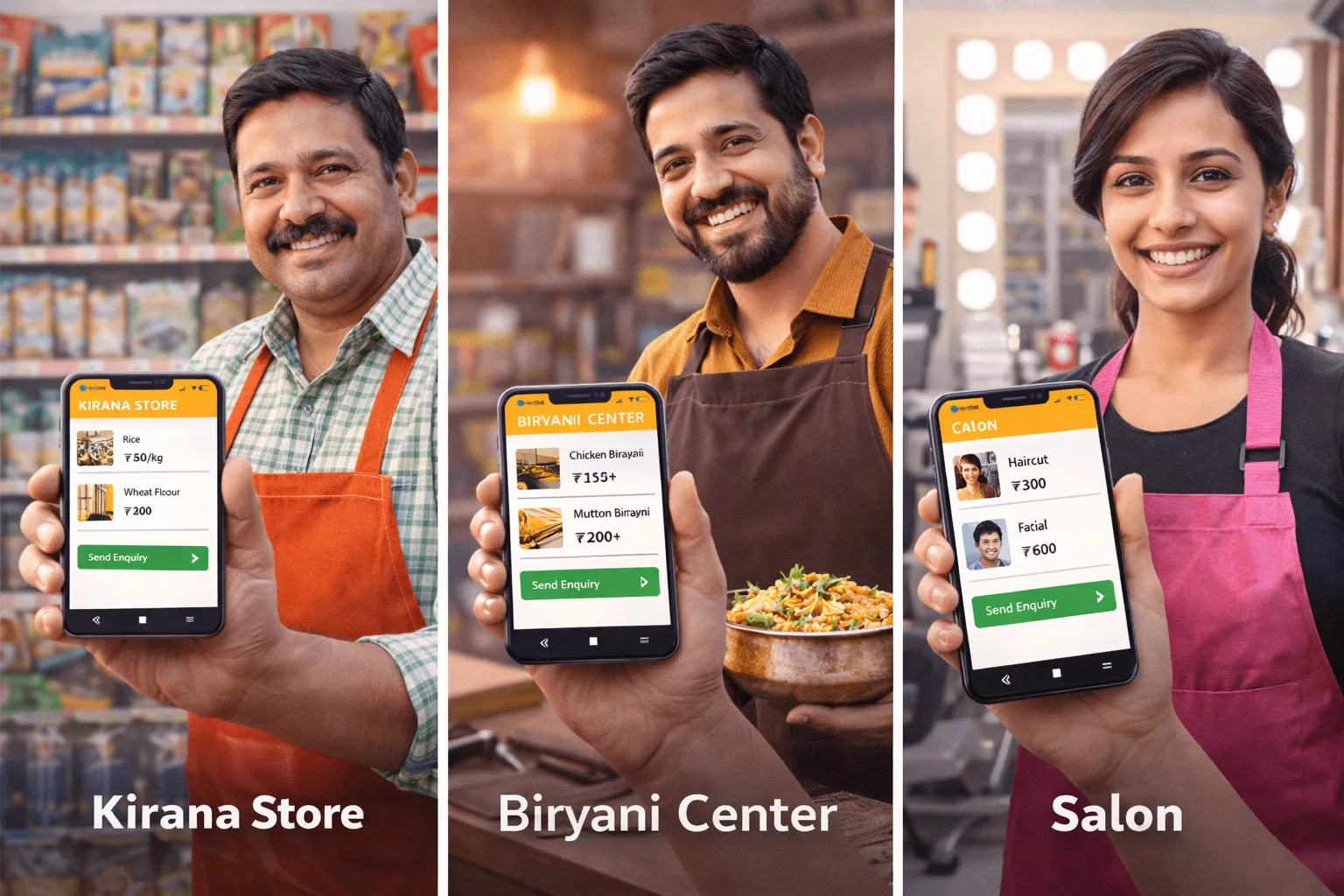
    In this blog, we’ll show you exactly how three types of local shops – a kirana store, a biryani center, and a salon – are using chotu to get more orders, save time, and stop losing customers to delivery apps.

    Read whichever section matches your shop type. Or read all three – the lessons apply to every local business.

    Part 1: The Kirana Owner Who Stopped Answering 40 Calls a Day

    Meet Dinesh Bhai. He runs a mid-sized kirana store in a residential colony. He’s been doing it for 22 years. He knows every customer by name, knows what their children eat, and always keeps a mental note of who owes him money.

    But three years ago, something changed.

    His regular customers started ordering from Zepto and Blinkit. Not because they didn’t like Dinesh Bhai. But because they could see the catalog, add items, and get delivery – all without calling him.

    Dinesh Bhai’s answer? 40 phone calls a day. Orders written on paper. Items misheard. Deliveries delayed. Customers frustrated.

    “I was spending more time on the phone than behind the counter.”

    What changed when Dinesh Bhai got his chotu catalog

    The moment his chotu catalog went live, he shared the link in his colony WhatsApp group. Within 48 hours:

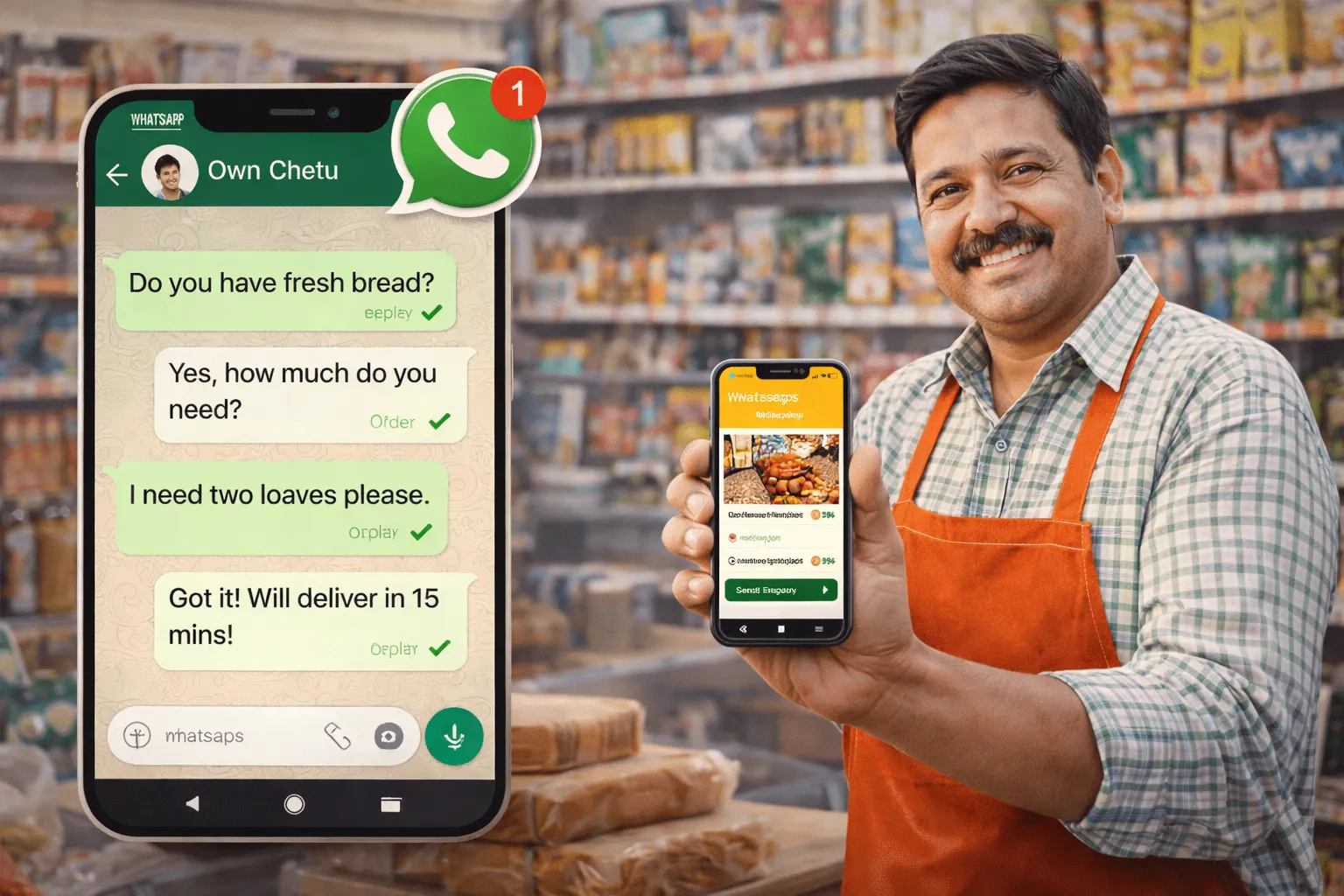
    • Customers started sending their grocery list directly to his WhatsApp as a cart
    • He stopped missing items – every order came written, itemised, with quantity
    • He printed the QR code on a small board at his counter – walk-in customers started sharing it with neighbours
    • His delivery boy now gets a printed list instead of a verbal one – zero mistakes

    Tips for Kirana shops using chotu

    Update your prices every Monday morning

    Take 10 minutes at the start of the week to update any price changes. Your customers trust your catalog – keep it accurate.

    Use the ‘Out of Stock’ label aggressively

    If dal is finished, mark it immediately. This reduces WhatsApp messages asking ‘do you have it?’ – and builds trust.

    Add your own brand staples

    If you sell loose atta, loose spices, or homemade pickles – add them to your catalog with a photo. These are your margins. Customers can’t find these on Blinkit.

    Share your link in 3 places

    Colony WhatsApp group, your own WhatsApp status, and a printed QR code stuck at the counter. That’s all you need.

    Part 2: The Biryani Center That Ended Sunday Chaos

    Arshad runs a biryani center that’s famous in his area. On weekdays, things are manageable. But Sundays? Pure madness.

    From 11 AM to 2 PM, his phone rings non-stop. Customers call to ask what’s available, place orders, ask for quantities, change their order, and sometimes cancel last minute – leaving Arshad with extra portions and lost revenue.

    He’d heard about chotu from a friend. He signed up on a Thursday. By Sunday, his life had changed.

    “Saturday night, 30 orders were already in my WhatsApp. I knew exactly what to cook. Zero waste, full house.”

    How Arshad runs his biryani business with chotu

    • He lists his full menu: Chicken Biryani (half/full), Mutton Biryani (half/full), Family Pack, Raita, Salan, Gulab Jamun
    • Every Friday, he shares his weekend special on WhatsApp status using his chotu link
    • Customers click the link, pick what they want, set pickup time, and send the order on WhatsApp
    • Arshad prepares exactly what’s ordered. No guesswork. No excess.
    • He added a note: ‘Pre-orders before 10 AM get priority pickup.’ His morning orders jumped 60%.

    Tips for Biryani Centers and food shops using chotu

    Add ‘Pre-order’ to your catalog description

    Write: ‘Order before 10 AM for guaranteed availability.’ This creates urgency and gets you orders before you even open.

    Create combo items

    Add a ‘Family Sunday Pack’ – Biryani + Raita + Gulab Jamun as a single catalog item. Higher average order value, fewer WhatsApp back-and-forths.

    Mark popular items with ⭐

    Add ⭐ to your best-sellers in the item name. ‘Chicken Biryani Full ⭐’ stands out and guides first-time customers.

    Add a ‘Today’s Special’ item

    Create one catalog slot called ‘Today’s Special’ and update it daily. It keeps your catalog fresh and gives customers a reason to check back.

    Part 3: The Salon That Stopped Losing Customers to Urbanclap

    Priya runs a ladies’ salon in a busy residential area. Her work is excellent – regulars love her. But new customers? They kept discovering her competitors on Urban Company instead.

    The reason was simple: she had no digital presence. If you searched for a salon near her area, you’d find three Urban Company listings before you’d find Priya.

    Urban Company takes 20–30% of every booking. For a ₹600 facial, she’d take home ₹420. And the customer data? Belonged to the platform.

    “I was building their business, not mine. chotu gave me my own link I could share anywhere.”

    What Priya’s chotu catalog looks like

    • Services listed with clear pricing: Threading ₹30, Full Arms Wax ₹150, Facial (Basic) ₹350, Bridal Package ₹3,500
    • A section for combo packages: ‘Glow Package – Facial + D-Tan + Eyebrows ₹600’
    • Her WhatsApp number as the booking contact – no platform, no commission
    • A short description: ‘Book 1 day in advance. Home service available within 3 km.’

    Tips for Salons and service businesses using chotu

    List every service with a price – even small ones

    Customers don’t call to ask for threading prices. They just go elsewhere. Transparent pricing builds instant trust.

    Add a ‘Bridal & Event’ section

    Create a separate section for wedding packages. This attracts high-value customers and can be shared in wedding planning WhatsApp groups.

    Ask regulars to share your link

    After a session, say: ‘Share my link with your friends – they get ₹50 off their first visit.’ Word of mouth + digital = unstoppable.

    Use your WhatsApp status

    Post your chotu link on WhatsApp status every Monday: ‘Slots available this week – book now.’ Takes 30 seconds, fills your calendar.

    Whatever you sell – groceries, biryani, or beauty services – chotu has a ready catalog for your shop type. Get online today.

  • The WhatsApp Marketing Playbook for Local Shop Owners (No Budget Needed)

    The WhatsApp Marketing Playbook for Local Shop Owners (No Budget Needed)

    WhatsApp is the most powerful marketing tool available to a local shop owner in India today. And the best part? It’s completely free.

    You already have it on your phone. Your customers already use it every day. The only thing missing is a strategy – a simple, repeatable system that gets your shop name in front of customers at the right time.

    This blog gives you that system. Step by step. No jargon. No budget required.

    Why WhatsApp Works for Local Shops

    Let’s be honest about what doesn’t work for most local shop owners:

    • Facebook & Instagram ads – expensive, complicated, and customers scroll past
    • Pamphlets – printed, distributed, ignored, and expensive
    • Google listings – useful but takes months to show results
    • Word of mouth alone – slow and inconsistent

    WhatsApp works because:

    • Your customers open WhatsApp 20–30 times a day
    • Messages get a 90%+ open rate (vs 20% for email)
    • It’s personal – a message from your shop feels like a message from a friend
    • Ordering via WhatsApp feels easy and familiar – no new apps to download

    “The shop that reaches the customer first gets the order. WhatsApp is how you reach first.”

    Step 1: Build Your WhatsApp Contact List (The Right Way)

    Your contact list is your most valuable marketing asset. Here’s how to build it fast:

    At your counter

    • Ask every customer: ‘Can I add you to our WhatsApp update group? We share offers and new items.’
    • Have a small register or phone where you note their number immediately
    • Offer a small incentive: ‘Join our group and get ₹20 off your next order’

    Through your existing customers

    • Send your top 20 regulars this message: ‘Namaste [Name]! I’ve started sharing my latest menu/catalog on WhatsApp. Can I add you?’
    • Never add someone without permission – it creates bad will and they’ll mute you

    Using your chotu catalog link

    • Share your chotu catalog link in your status and ask people to save your number to receive updates
    • Print a QR code with the message: ‘Scan to see our full catalog + Save this number for updates’

    Quality over quantity

    100 active, interested customers are worth more than 1,000 who never engage. Build slowly and correctly.

    Step 2: The 4 Types of WhatsApp Messages That Work

    Don’t just send random messages. Rotate between these 4 types for maximum impact:

    Type 1: The Daily Special (Sent before 9 AM)

    Works for: Biryani centers, home food, bakeries, sweet shops, fast food

    Example message:

    ” Today’s Special – Egg Biryani Half ₹120 / Full ₹220. Order before 11 AM for priority pickup. [Your chotu link]”

    Best time to send

    7:30–9 AM. Customers decide their lunch plan in the morning. Be in their head first.

    Type 2: The Weekly Stock Update (Sent every Monday)

    Works for: Kirana, dry fruits, organic shops, dairy, rice traders

    Example message:

    “✅ Fresh stock updated! New arrivals this week: Organic Turmeric, Cold-pressed Coconut Oil, Himalayan Pink Salt. Check our full catalog: [Your chotu link]”

    Type 3: The Festival/Event Reminder (Sent 7–10 days before)

    Works for: All shops, especially sweet shops, florists, gift shops, caterers, bakers

    Example message:

    ” Diwali is 10 days away! Pre-book your mithai boxes now – avoid the last-minute rush. Choose your box: [Your chotu link] We’re taking advance orders till 20th Oct.”

    Type 4: The Personal Thank You (After a big order)

    Works for: Every shop type

    Example message:

    “Namaste [Name]! Thank you for your order yesterday Hope you enjoyed everything. If you need anything next time, my catalog is always ready here: [Your chotu link]. Have a lovely day!”

    This one is magic

    A personal thank-you message converts a one-time buyer into a loyal regular. Takes 30 seconds. Returns for years.

    Step 3: WhatsApp Groups vs WhatsApp Broadcast – Know the Difference

    This is where many shop owners make a mistake. Here’s what you need to know:

    WhatsApp Groups

    • Everyone can see everyone’s replies – can get noisy
    • Good for: Building community, answering questions, sharing updates with engaged customers
    • Risk: Spam from other members, hard to control
    • Best for: Salons (appointment reminders), home food (daily menu), kirana (weekly offers)

    WhatsApp Broadcast

    • You send one message, but each customer receives it as a personal chat from you
    • They reply privately – only you see it
    • Condition: The customer must have saved your number to receive the broadcast
    • Best for: Promotions, new arrivals, festival offers – when you want it to feel personal

    “Broadcast feels like a personal message. Group feels like an announcement. Both have their place.”

    The recommended setup for most shops

    • 1 Broadcast list for promotions and offers (all customers)
    • 1 WhatsApp Group for your most loyal 20–30 customers – your VIPs
    • Your chotu catalog link in your WhatsApp Bio and Status at all times

    Step 4: Your chotu Link is Your WhatsApp Superpower

    Here’s the problem with WhatsApp-only marketing: customers see your message, want to order, but don’t know what to say. They type slowly. They forget items. They message at midnight when you’re asleep.

    Your chotu catalog link solves all of this. Every time you send a WhatsApp message, end it with your chotu link. Customers click, browse, build their cart, and send you a clean order.

    Where to put your chotu link on WhatsApp

    • WhatsApp Status: Post your link every 2–3 days with a new message
    • WhatsApp Bio: ‘See our full catalog ‘ with the link
    • Every broadcast message: End with ‘Browse & order here: https://chotu.com/biz/1234567890’
    • Your WhatsApp profile photo description
    • Pinned message in your customer group

    Your link = your storefront

    Think of your chotu link the way a big brand thinks of their website. Share it everywhere. Every click is a potential order.

    Step 5: A Simple Weekly WhatsApp Schedule

    Here’s a plug-and-play schedule you can follow every week:

    • Monday 8 AM – Stock update / new arrivals (Broadcast)
    • Wednesday 12 PM – Mid-week special or offer (Status)
    • Friday 7 PM – Weekend special or pre-order reminder (Broadcast + Group)
    • Sunday 9 AM – ‘Today’s menu / specials’ (Status + Group)
    • Any day – Thank you message after a big order (Personal chat)

    That’s 4–5 touchpoints per week. Takes less than 20 minutes total. That’s your marketing done.

    Start your WhatsApp marketing today. Get your chotu catalog.

  • How Local Shops Made 3x More Sales Last Diwali – And How You Can Too

    How Local Shops Made 3x More Sales Last Diwali – And How You Can Too

    Every year, the festive season from October to January is the biggest sales window for local shops across India. Diwali. Dussehra. Christmas. New Year. Weddings.

    Customers are spending. They want mithai, gifts, new clothes, catered food, flower decorations, and home essentials. The question is: do they think of your shop – or of Swiggy Instamart?

    Last year, three shop owners on chotu had their best festive season ever. Here’s exactly what they did – and how you can copy their strategy before this season begins.

    Story 1: The Sweet Shop That Took ₹2 Lakh in Diwali Pre-Orders

    Mithailal Sweets has been in the family for three generations. Traditional recipes, loyal customers, and a reputation that needs no advertising. But this Diwali, the owner – Deepak – wanted to do something different.

    “Every year, the last 3 days before Diwali are madness. Customers come, they want boxes, we run out of stock, everyone’s frustrated. I wanted to change that.”

    Deepak’s Diwali strategy on chotu

    • Created a special ‘Diwali Collection’ section in his chotu catalog – 3 weeks before Diwali
    • Listed 5 mithai box options: Small (₹250), Medium (₹450), Large (₹750), Premium (₹1,200), Corporate Bulk (₹5,000+)
    • Added photos of beautifully arranged boxes with descriptions: ‘Assorted 12-piece box – Kaju Katli, Motichoor Ladoo, Badam Burfi’
    • Set a deadline: ‘Pre-order before Oct 28. Last delivery: Nov 1.’
    • Shared the catalog link in 4 WhatsApp groups: colony group, family group, previous customer broadcast, and local business group

    “By the 25th of October, I had ₹2.1 lakh in pre-orders written in my WhatsApp. I knew exactly what to make.”

    The result

    • Zero stock shortage – he made exactly what was ordered
    • Zero last-minute rush chaos – 80% of orders were fulfilled before Diwali eve
    • He used remaining capacity to fulfill walk-in customers on the day
    • First time in 30 years, he closed his shop on Diwali evening and celebrated with his family

    Story 2: The Home Food Cook Who Built a Dussehra Catering Business

    Sunita Devi started selling home-cooked tiffins from her kitchen two years ago. 20 customers, word of mouth, and her chotu catalog. She was making steady income but hadn’t thought big.

    Then a customer asked: ‘Can you do food for our building’s Dussehra event? 80 people?’

    Sunita had never done catering. But she had chotu – and a clear catalog of what she made and what it cost per person.

    How Sunita handled her first catering order

    • She created a ‘Special Events’ section in her chotu catalog: ‘Catering packages from ₹80/person’
    • Listed a sample Dussehra thali: 3 sabzis, dal, rice, roti, pickle, papad, sweet – ₹100/person minimum 30 people
    • The customer shared her chotu link with 3 other building committees in the area
    • Within 2 weeks, she had 4 catering bookings – totalling over ₹40,000 in the festive month

    “I didn’t even know catering was possible for me. But when customers saw my catalog, they saw the possibilities themselves.”

    What Sunita did after Dussehra

    • She added a ‘Wedding & Event Menu’ to her catalog permanently
    • She raised her per-person price from ₹80 to ₹120 after the first successful event
    • She now has a waitlist for festive catering – and it’s not even November yet

    Story 3: The Florist Who Made Valentine’s Week His Biggest Week of the Year

    Flowers are seasonal. Ravi, who runs a small flower shop, knew that Valentine’s Day was coming – but every year he’d scramble to take orders on scraps of paper, forget customisations, and deal with angry customers.

    The year he joined chotu, everything changed.

    Ravi’s Valentine’s Week catalog strategy

    • Added a temporary ‘Valentine’s Day’ section to his catalog in late January
    • Created pre-packaged bouquet options: ‘Red Roses (12) ₹350’, ‘Mixed Bouquet ₹250’, ‘Premium Box Arrangement ₹650’
    • Added an option: ‘Custom bouquet – WhatsApp us with your budget’
    • Put a note: ‘Pre-order before Feb 12 to guarantee your flowers. Limited stock.’
    • Shared the link in local colony groups with a simple message: ‘Valentine’s flowers ready Order before stock runs out: [link]’

    “I had 140 orders confirmed 3 days before Valentine’s Day. I knew exactly how much stock to buy. Not a single flower wasted.”

    The numbers

    • Previous year (no chotu): ₹18,000 in Valentine’s week sales
    • With chotu: ₹52,000 in Valentine’s week sales – nearly 3x
    • Zero wasted stock. Zero missed orders. Zero chaos.

    Your Festive Season Action Plan – Starting Today

    Whether you sell sweets, food, flowers, gifts, or anything else – the festive season is your biggest opportunity. Here’s how to prepare, step by step:

    6–8 weeks before the festival

    • Create a ‘Festive Special’ or seasonal section in your chotu catalog
    • Add photos of your best festive products or packages with clear pricing
    • Set a pre-order deadline to create urgency

    4 weeks before

    • Send your first WhatsApp broadcast with your catalog link: ‘Festive orders now open’
    • Post your chotu link on WhatsApp status every 3 days
    • Ask 5 loyal customers to share your catalog link with their friends and family

    2 weeks before

    • Send a reminder broadcast: ‘Pre-order slots filling up fast – book yours’
    • Update your catalog with any sold-out items marked
    • Prepare your packaging and logistics based on pre-orders received

    1 week before

    • Final broadcast: ‘Last chance to pre-order. We close bookings on [date].’
    • Confirm all pending orders via WhatsApp
    • Focus on fulfillment – the hard work is done

    The Common Thread: All Three Shops Did One Thing Right

    Deepak, Sunita, and Ravi are different people. Different cities. Different products. But they all did the same thing:

    They made it easy for customers to order – before customers even thought to look elsewhere.

    A digital catalog that’s always visible, always shareable, always up to date – that’s the difference between a hectic festive season and a profitable one.

    The festivals are coming. Your customers are going to spend. The only question is: will they spend at your shop or somewhere else?

    Get your festive catalog ready on chotu today. Setup takes 2 seconds. Profits last all season.

  • మీ దుకాణం Digital Catalog – 2 సెకన్లలో Ready!

    మీ దుకాణం Digital Catalog – 2 సెకన్లలో Ready!

    owner.chotu.com | Shareable Link & QR Code తో Digital Catalogs – అన్ని Indian Businesses కోసం

    2026లో ప్రతి Indian Small Business కి Digital Catalog ఎందుకు అవసరం?

    భారతదేశంలో 6.3 కోట్లకు పైగా చిన్న వ్యాపారాలు ఉన్నాయి. వాటిలో 10% కంటే తక్కువ మాత్రమే online లో కనిపిస్తున్నాయి. మిగతా అన్నీ word-of-mouth మీద, printed pamphlets మీద, WhatsApp forwards మీద ఆధారపడుతున్నాయి – 2010లో పని చేసిన పద్ధతులు ఇప్పుడు మీ sales పోగొడుతున్నాయి.

    Customer behaviour పూర్తిగా మారిపోయింది. మీ దుకాణంలోకి రాకముందే వాళ్ళు search చేస్తున్నారు. Friend నుండి link అడుగుతున్నారు. Instagram scroll చేస్తున్నారు. మీ business online లో కనిపించకపోతే – మీరు వాళ్ళకి exist అవ్వడమే లేదు.

    అదే gap ని close చేయడానికి chotu తయారైంది.

    “Digital catalog అంటే పెద్ద brands కోసం మాత్రమే కాదు. Customers ముందే order చేసుకోవాలని కోరుకునే కిరాణా భయ్యా కోసం. Phone లో price list చెప్పి చెప్పి అలసిపోయిన salon దీది కోసం. మరిన్ని orders కావాలని కానీ మరింత గోల వద్దని అనుకునే biryani center అన్న కోసం.”

    అసలు సమస్య ఏంటి: మీ దుకాణం బాగుంది – Customers కి తెలియడం లేదు

    రోజూ potential customers మీ దుకాణం దాటి వెళ్తున్నారు, WhatsApp తెరుస్తున్నారు, online search చేస్తున్నారు – మీరు ఏం అమ్ముతున్నారో, price ఎంతో, వాళ్ళకి కావలసింది మీ దగ్గర ఉందో లేదో తెలియకుండా. Sale మొదలవ్వకముందే పోతోంది.

    “WhatsApp లో list పంపించాల్సొస్తోంది మళ్ళీ మళ్ళీ” ప్రతి customer కి menu లేదా product list type చేయడం వారానికి గంటల సమయాన్ని వృధా చేస్తోంది. మీరు దుకాణం పెట్టింది full-time typist అవ్వడానికి కాదు.

    “Customers అడిగి అడిగి పరేశాన్ చేస్తున్నారు” “ఏం దొరుకుతుందో?”, “Price ఎంత?”, “ఈరోజు special ఏంటి?” – రోజూ అదే questions కి call లో, WhatsApp లో సమాధానం చెప్పడం exhausting. మరియు avoid చేయవచ్చు.

    Website చేయించుకోవడం చాలా costly గా అనిపిస్తోంది Developers basic website కి ₹20,000–₹80,000 charge చేస్తున్నారు. తర్వాత hosting, updates అన్నీ అలాగే. చిన్న దుకాణానికి అది సాధ్యం కాదు.

    Printed menus/lists తొందరగా outdated అయిపోతున్నాయి Price మారింది, కొత్త item వచ్చింది – printed materials చెత్తబుట్టలోకి వెళ్ళాయి. మళ్ళీ print cost.

    chotu పరిష్కారం: మీ మొత్తం Business – ఒక Link, ఒక QR Code

    owner.chotu.com మీ product list, menu, లేదా service catalog ని ఒక beautiful digital page గా మారుస్తుంది. Customer instantly open చేయగలరు – app download లేదు, signup లేదు, ఏ జంఝట్ లేదు.

    అన్నింటికంటే ముఖ్యమైన విషయం – మీ catalog 2 సెకన్లలో ready.

    ఎలా పని చేస్తుంది?

    Step 1 – మీ Items Add చేయండి మీ products, dishes, లేదా services type చేయండి. Prices, photos, descriptions నిమిషాల్లో add చేయండి.

    Step 2 – మీ Link + QR వచ్చేస్తుంది Instantly ఒక shareable link మరియు printable QR code రెడీ అవుతాయి – మీ దుకాణానికి unique గా.

    Step 3 – అన్ని చోట్లా Share చేయండి QR code ని counter మీద పెట్టండి, link ని WhatsApp bio లో paste చేయండి, Instagram లో share చేయండి.

    Step 4 – ఎప్పుడైనా Update చేయండి Price మారిందా? కొత్త item వచ్చిందా? ఒక్కసారి edit చేయండి – link automatically update అవుతుంది. Forever.

    మీకు ఏం దొరుకుతుంది

    Shareable Link

    ఒక clean URL – WhatsApp లో పంపండి, Instagram bio లో పెట్టండి, ఎక్కడైనా print చేయండి. ఏ phone లో, ఏ browser లో అయినా పని చేస్తుంది.

    QR Code – Print చేసి అంటించండి

    మీ QR download చేసి counter మీద, bag మీద, door మీద, delivery box మీద అంటించండి. Customer scan చేస్తే మీ full catalog కనిపిస్తుంది.

    Photo + Price Display

    మీ products ని images మరియు prices తో clearly చూపించండి. Customers రాకముందే hungry అవుతారు.

    ✏️ ఎప్పుడైనా Edit చేయండి – Instantly

    Prices మార్చండి, కొత్త items add చేయండి, out of stock mark చేయండి – అన్నీ live గా instantly. Developer అవసరం లేదు.

    Category Sorting

    మీ items neat గా group చేయండి – Starters, Mains, Sweets; లేదా Hair, Skin, Nails. Customers కావలసింది తొందరగా find చేసుకుంటారు.

    38+ Indian Business Types కి పని చేస్తుంది

    Ayurvedic shops నుండి biryani centers వరకు, flour mills నుండి florists వరకు – chotu మీ category కోసమే build అయింది.

    మీ Business కోసమే తయారైంది

    chotu 38కి పైగా Indian business categories కి పని చేస్తుంది:

    ☕ Cafe | Dry Cleaning | Salon | Kirana Store | Mutton Shop | Tailor | Astrologer | Ayurvedic Shop | Bakery | Biryani Center | Breakfast Joint | Chicken Center | ️ Restaurant | Carpenter | Catering Services | ️ Chaat Bhandar | Curry Point | Dairy Parlour | Dental Clinic | Dry Fruits Shop | Fast Food | Fish Shop | Florist | Flour Mill | Fruits & Vegetables | Gift Shop | Home Foods | ️ Hot Chips | Loan Services | Medical Shop | Nutritionist | Organic Shop | Pan Shop | Pest Control | Pet Shop | Pickles Shop | Rice Traders | Sports Shop | Stationery | Sweet Shop

    మీ business ఏదైనా సరే – chotu మీకు ready గా ఉంది.

    Real Businesses, Real Results

    ☕ Cafe Owner – Vizag “పోయిన రోజు, రోజూ 50 WhatsApp messages కి జవాబు చెప్పేవాడిని – ఏం ఉంది, price ఎంత అని. ఇప్పుడు link share చేస్తాను. Customers తాముగా చూసుకుని directly order చేస్తున్నారు.” – Ramesh S., Café Corner, MVP Colony

    Salon Owner – Hyderabad “నా services మరియు prices అందరికీ secret గా ఉండేవి! ఇప్పుడు visiting card మీద QR print చేస్తున్నాను. Customers ముందే తెలుసుకుని వస్తున్నారు. Booking time సగానికి తగ్గింది.” – Priya N., Glam Studio, Kukatpally

    Biryani Center – Madhapur “Delivery orders లో ముందు confusion ఉండేది. ఇప్పుడు box మీద QR code అంటించాను – customer scan చేస్తే next order కి menu ready. Business 30% పెరిగింది.” – Aslam B., Bhai’s Biryani, Ayyappa society

    QR Code Advantage: Physical మరియు Digital కలిసే చోట

    QR codes ఎప్పుడూ useful గా ఉన్నాయి. Pandemic తర్వాత contactless అన్నీ normal అయ్యాక, అవి essential అయ్యాయి. ఈరోజు India లో ప్రతి smartphone – ₹5,000 budget phone నుండి latest flagship వరకు – camera app నుండే QR code scan చేయగలదు. వేరే app అవసరం లేదు.

    chotu తో మీ business కి QR code అంటే:

    • Counter మీద అంటిస్తే → customers wait చేస్తూ browse చేస్తారు
    • Packaging మీద print చేస్తే → ప్రతి delivery ఒక marketing moment అవుతుంది
    • Visiting card మీద పెడితే → ప్రతి handshake ఒక catalog share అవుతుంది
    • Shop door మీద అంటిస్తే → దుకాణం మూసినా, catalog open గా ఉంటుంది
    • Delivery bags మీద పెడితే → ప్రతి order తో free repeat customer acquisition

    తెలుసా? UPI వల్ల QR scanning Indians కి second nature అయిపోయింది. మీ customers కి habit ఇప్పటికే ఉంది – మీరు scan చేయదగిన ఏదైనా ఇవ్వాలంతే.

    Shareable Link: మీ Business ఒక Tap లో

    chotu మీకు ఇచ్చే link short, clean, మరియు ఎక్కడైనా shareable:

    • WhatsApp Status – మీ most engaged audience రోజూ మీ catalog చూస్తుంది
    • WhatsApp Bio – మీ profile visit చేసిన ప్రతి ఒక్కరూ tap చేసి full menu చూడవచ్చు
    • Instagram Bio – ప్రతి follower potential customer అవుతాడు
    • Google Business Profile – local search లో catalog link తో కనిపించండి
    • Facebook Page – pin చేయండి, post చేయండి, local community groups లో share చేయండి
    • Customer broadcast lists – 200 మందికి ఒక message, అందరూ మీ latest offers చూస్తారు

    ఒక link – website, brochure, మరియు WhatsApp catalog అన్నింటి పని చేస్తుంది.

    మీ Business కి ఇది Right అవునా? (Honest Answer)

    దాదాపు exceptions లేకుండా – అవును. ఒక్క simple test: మీరు ఎప్పుడైనా customer కి మీరు ఏం sell చేస్తున్నారో, prices ఏంటో, ఏ services ఉన్నాయో explain చేయాల్సొస్తుందా? అవుననుకుంటే – digital catalog మీ time save చేసి మరింత business తీసుకొస్తుంది.

    chotu vs మిగతా Options: Honest Comparison

    vs. Printed Menu/Catalog Printed materials కి cost అవుతుంది, price మారగానే outdated అవుతాయి, digitally share చేయలేరు, shop hours తర్వాత పని చేయవు. chotu live గా, update చేయడానికి free, 24/7 available.

    vs. Website Build చేయించుకోవడం మంచి website కి ₹15,000–₹80,000 upfront, ప్రతి సంవత్సరం ₹5,000–₹15,000 maintenance. ప్రతి update కి developer కావాలి. chotu చాలా తక్కువ cost లో, మీరే fully control చేయవచ్చు.

    vs. Zomato/Swiggy ఈ platforms ప్రతి order మీద 20–30% commission తీసుకుంటున్నాయి, మీ customer relationship వాళ్ళ దగ్గర ఉంటుంది. chotu తో customers మీకు directly contact చేస్తారు. మీ sale లో 100% మీకే.

    vs. WhatsApp Catalog WhatsApp catalog లో 500 items limit ఉంది, discovery తక్కువ, మీ contacts లో లేని వాళ్ళకి కనిపించదు. chotu link ఎవరికైనా, ఎక్కడైనా, ఏ app లేకుండా పని చేస్తుంది.

    vs. Instagram/Facebook Page Social media discovery కోసం. chotu link అక్కడ నుండి people ని పంపే destination – replace కాదు, addition.

    Category వారీగా chotu ఎలా పని చేస్తుంది

    Restaurants, Biryani Centers & Curry Points

    మీ menu మీ first impression. Signature dishes photos తో digital menu customers ని రాకముందే hungry చేస్తుంది. Categories గా list చేయండి – Starters, Main Course, Biryani, Rotis, Desserts. Daily specials seconds లో update చేయండి.

    ☕ Cafes & Breakfast Joints

    Morning rush hectic గా ఉంటుంది. Shareable catalog తో regulars రాకముందే browse చేసి WhatsApp లో order చెప్తారు, waiting లేకుండా pick up చేసుకుంటారు.

    Kirana Stores & Organic Shops

    Most-ordered items, prices, available quantities list చేయండి. Customers WhatsApp లో order చేస్తారు catalog reference గా చూసి. మీ దగ్గర item ఉందని తెలియక వేరే చోటికి వెళ్ళే sales ఆగిపోతాయి.

    Salons & Parlours

    Clear prices తో service menu trust build చేస్తుంది, negotiation తగ్గిస్తుంది. Customers exactly కావలసింది తెలుసుకుని వస్తారు. Reception desk మీద QR code మీకోసం selling చేస్తుంది.

    Mutton Shops, Chicken Centers & Fish Shops

    Daily prices మరియు available cuts shareable link లో పెడితే customers competitor దగ్గరకి కాదు మీకే call చేస్తారు. Morning WhatsApp broadcast తో rates + link పంపితే – open అవ్వకముందే pre-orders వస్తాయి.

    Ayurvedic Shops, Medical Shops & Nutritionists

    Visit చేయడానికి ముందు product range చూసుకోవాలనుకునే customers కోసం share చేయండి. మీ దగ్గర ఉన్న specialty items digital గా చూపిస్తే loyal customer base తయారవుతుంది.

    Bakeries & Sweet Shops

    Diwali, Eid, Christmas, Ugadi – ప్రతి festival కి catalog update చేసి customer list కి blast చేయండి. Pre-orders automatically వస్తాయి.

    Home Foods & Tiffin Services

    Weekly menu, today’s special, monthly subscription plans – అన్నీ ఒక clean link లో. Customers వాళ్ళ office colleagues కి మీ link share చేస్తారు. Word-of-link తో కొత్త clients వస్తారు.

    Gift Shops, Florists & Stationery

    Visual product catalog తో prices చూసి customers ఇంట్లోనే decide చేసుకుంటారు. “Main soch ke aata hoon” అని వెళ్ళిపోయే customer ని ఆపవచ్చు – ఇంట్లో చూసి fall in love అవ్వడానికి ఏదైనా ఇవ్వండి.

    Carpenters, Tailors & Catering Services

    Past work portfolio, services మరియు rate ranges చూపించండి. Reference తో వచ్చే customers మీ full capabilities instantly చూడగలరు.

    ఆలస్యం చేయడం వల్ల మీకు ఏం పోతోంది

    మీ పక్కన ఉన్న competitor ఇప్పటికే ఇది చేస్తున్నాడు. 2026లో Indian customer మీ దుకాణంలోకి రాకముందే మీరు ఏం అమ్ముతున్నారో చూడాలనుకుంటున్నాడు. Digital catalog లేకపోవడం వల్ల రోజూ పోతున్నవి:

    ⏰ Repetitive questions కి సమాధానం చెప్పడంలో గంటల సమయం ప్రతి “ఏం దొరుకుతుందో?” WhatsApp message మీ business run చేయడానికి వాడాల్సిన time.

    వచ్చి వెళ్ళిపోయిన customers Online లో మీ menu find చేయలేని customers – easy గా చూపించిన competitor దగ్గరికి వెళ్ళిపోయారు.

    Price confusion వల్ల తగ్గిన trust Clear published price list లేకపోతే customers అందరికీ different గా చెప్తున్నారేమోనని అనుమానిస్తారు.

    Reprint costs margin తింటున్నాయి ప్రతి price change కి కొత్త printed materials. ప్రతి కొత్త item కి printer దగ్గరకి మళ్ళీ.

    తరచుగా అడిగే Questions

    నాకు technical knowledge అవసరమా? అస్సలు లేదు. WhatsApp use చేయగలిగితే chotu use చేయగలరు. Catalog తయారు చేయడం phone లో text చేయడంలా simple గా ఉంటుంది. Coding లేదు, design skills లేవు.

    నా customers ఏదైనా app download చేయాల్సి వస్తుందా? మీకూ లేదు, మీ customers కి కూడా లేదు. మీ catalog ఏ phone లో అయినా web browser లో open అవుతుంది. Link tap చేయడమే లేదా QR scan చేయడమే – అంతే.

    Catalog update ఎలా చేయాలి? owner.chotu.com లో login చేసి, మీ catalog కి వెళ్ళి, ఏ item అయినా edit చేయండి. Changes immediately reflect అవుతాయి – link మరియు QR code exactly same గా ఉంటాయి. ఏమీ reprint చేయాల్సిన అవసరం లేదు.

    QR code ఎక్కడ print చేయాలి? ఎక్కడైనా, అన్ని చోట్లా. Shop counter, delivery bags, visiting cards, pamphlets, shop board, receipts, food packaging – ఇంకా delivery చేసే vehicle మీద కూడా. ప్రతి scan potential new customer ని మీ full catalog దగ్గరకి తీసుకొస్తుంది.

    నా దగ్గర చాలా stock ఉంది – అన్నీ list చేయవచ్చా? అవును. మీ business కి అవసరమైన అన్ని items add చేయవచ్చు, categories గా organize చేయవచ్చు. Kirana stores, medical shops, rice traders అందరూ hundreds of items తో clean, organized catalog తయారు చేయవచ్చు.

    ఇది restaurants కోసం మాత్రమేనా? అస్సలు కాదు! chotu 38కి పైగా business types ని support చేస్తుంది – salons, tailors నుండి astrologers, pest control services వరకు. Products, services, లేదా price list share చేయాల్సిన ఏ business కైనా digital catalog పని చేస్తుంది.

    Zomato/Swiggy లో ఉన్నా అవసరమేనా? Absolutely అవసరం. Zomato మరియు Swiggy ప్రతి order మీద 20–30% commission తీసుకుంటున్నాయి. chotu catalog తో customers మీకు directly order చేస్తారు – zero commission. Walk-in customers మరియు phone orders కి కూడా మీ full menu చూపిస్తుంది.

    ఇప్పుడే Start చేయండి

    2 సెకన్లలో మీ దుకాణం digital.

    ఒక link. ఒక QR code. మీ మొత్తం business – ఎవరికైనా, ఎక్కడైనా, ఎప్పుడైనా shareable.

    మీ Free Catalog ఇప్పుడే తయారు చేయండి

    Credit card అవసరం లేదు · Tech skills అవసరం లేదు · ఎప్పుడైనా update చేయవచ్చు · అన్ని phones లో పని చేస్తుంది

  • Digital Catalog for Shops – Questions & Answers

    A digital catalog helps shop owners showcase their products online in a simple and organized way. Instead of relying only on physical displays inside the store, businesses can create an online catalog where customers can browse products, view images, and learn about available items before visiting the shop. Digital catalogs are useful for many types of local businesses including kirana stores, clothing shops, electronics stores, restaurants, and service providers.

    With platforms like chotu, shop owners can easily create a digital catalog by adding product images, descriptions, and categories. Once the catalog is ready, it can be shared with customers through messaging apps or links, making it easier for people to discover products and contact the shop. This helps small businesses increase visibility, communicate with customers, and promote their products online without needing technical knowledge or a website.

    The following questions and answers explain how digital catalogs work, why they are useful for small businesses, and how shop owners can use them to connect with customers and grow their local presence.

    1. What is a digital catalog for a shop?

      Answer) A digital catalog is an online list of products that customers can browse. Platforms like chotu help shop owners create and share digital catalogs easily.
    2. How can a shop create a digital catalog?

      Answer) Shop owners can create a digital catalog by listing products and uploading images using tools like chotu.
    3. Why do small shops need digital catalogs?

      Answer) Digital catalogs help shops show products online and reach more customers through platforms like chotu.
    4. Can a kirana store create an online catalog?

      Answer) Yes, kirana stores can list grocery products in a digital catalog using chotu.
    5. Do digital catalogs help attract customers?Yes, digital Answer) catalogs allow customers to browse products before visiting the shop.
    6. Can shops create catalogs without websites?

      Answer)Yes, tools like chotu allow shop owners to create catalogs without building a website.
    7. Are digital catalogs easy to update?

      Answer) Yes, products can be edited anytime in catalogs created on chotu.
    8. How do customers view digital catalogs?
      Answer) Customers can open a shared catalog link created on chotu.
    9. Can product images be added to catalogs?

      Answer) Yes, shop owners can upload product photos in chotu catalogs.
    10. Do digital catalogs work on mobile phones?

      Answer) Yes, chotu catalogs can be created and viewed on mobile devices.
    11. Can clothing shops create catalogs online?

      Answer) Yes, clothing retailers can display products using chotu.
    12. Are digital catalogs free to create?

      Answer) Many platforms including chotu allow free catalog creation.
    13. Can restaurants create digital menus?

      Answer) Yes, restaurants can create digital menus using chotu.
    14. Do digital catalogs improve product visibility?

      Answer) Yes, they help customers discover products easily.
    15. Can shops add multiple product categories?

      Answer) Yes, chotu allows products to be grouped into categories.
    16. Can catalogs help online marketing?

      Answer) Yes, digital catalogs help promote products online.
    17. Can electronics stores create catalogs?

      Answer) Yes, electronics shops can list devices and accessories in chotu catalogs.
    18. How long does it take to create a catalog?

      Answer) With tools like chotu, catalogs can be created very quickly.
    19. Are digital catalogs better than printed catalogs?

      Answer) Digital catalogs are easier to update and share.
    20. Do digital catalogs help small retailers?

      Answer) Yes, they allow retailers to showcase products online.
    21. Can shops edit product details later?

      Answer) Yes, catalogs created on chotu can be updated anytime.
    22. Can catalogs include product descriptions?

      Answer) Yes, descriptions can be added for each product.
    23. Are digital catalogs searchable online?

      Answer) Some catalogs created through platforms like chotu may appear in search results.
    24. Do digital catalogs support multiple languages?

      Answer) Some catalog platforms support multiple languages.chotu has multilingual support, English, Telugu, Hindi, Marathi and other local languages

    25.Can service businesses create catalogs?

    Answer) Yes, services can also be listed as catalog items.

  • WhatsApp Catalog for Shops

    A WhatsApp catalog allows shop owners to showcase their products digitally and share them directly with customers through WhatsApp. Instead of sending individual photos or product details, businesses can organize their products into a simple online catalog and share a single link with customers.

    Local shops such as kirana stores, clothing shops, electronics retailers, and restaurants can use a WhatsApp catalog to display their products, menus, or services. Customers can browse the catalog, view product images, and contact the shop owner to place orders or ask questions.

    Creating a WhatsApp catalog is easy with platforms like chotu. Shop owners can add product images, descriptions, and organize items into categories. Once the catalog is created, it can be shared instantly with customers through WhatsApp, making it easier to showcase products and reach more buyers.

    Using a WhatsApp catalog helps small businesses improve product visibility, simplify customer communication, and promote their offerings online without needing a website or advanced technical skills. It is a simple way for local shop owners to connect with customers and grow their business digitally.

    1. How can shops share catalogs on WhatsApp?

      Shop owners can create catalogs on chotu and share the link on WhatsApp.
    2. Why do shops use WhatsApp catalogs?

      WhatsApp catalogs allow shops to show products directly to customers.
    3. Can customers view catalogs from WhatsApp links?

      Yes, customers can open links from chotu catalogs.
    4. Can WhatsApp catalogs increase orders?

      Yes, customers can browse products easily.
    5. Do WhatsApp catalogs need websites?

      No, platforms like chotu create catalogs without websites.
    6. Can kirana shops send grocery catalogs on WhatsApp?

      Yes, grocery catalogs created on chotu can be shared.
    7. Can clothing shops share product catalogs on WhatsApp?

      Yes, clothing retailers often share catalogs using tools like chotu.
    8. Are WhatsApp catalogs easy to create?

      Yes, they can be created quickly using catalog tools.
    9. Do catalogs help customers see product photos?

      Yes, customers can view images inside digital catalogs.
    10. Can shops send catalogs to regular customers?
      Yes, catalog links can be shared with customers anytime.