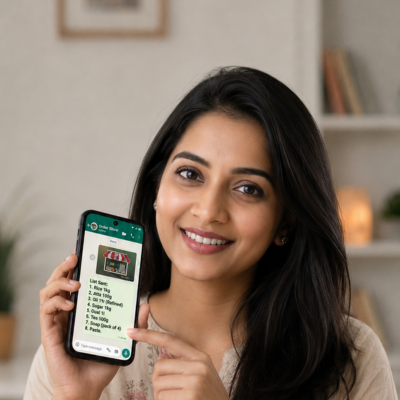
“I find it so easy to place orders for sweets and snacks with my nearby Swagruha foods store. WhatsApp ordering is like chatting with the owner in person, feels so personal.”
Arvind (UAE), from Warangal
“I stay in the UAE, I used to order for my parents in India from online delivery apps. Now my parents are able to order from their nearby stores, cos the catalog is in Telugu and they can chat with the retailer directly on WhatsApp.”
Mahadev Kirana, Chittoor
“I run a kirana, I deal with atleast 20 distributors for all my requirements. One of the distributors has recently shared his link to place orders on WhatsApp. The ordering experience is smooth, I wish other distributors too move to chotu.”
Our Inspiration
UPI = simple payments
chotu = simple ordering
Team behind chotu
Our team has a keen understanding of local commerce and how it works. We believe in keeping things simple. Our founder earlier launched the world’s first smart SIM at airtel.
Lista is a free shopping list app that helps you discover nearby local shops, browse their product catalogs, create shopping lists and send them directly to shopkeepers on WhatsApp. No more handwritten lists or manually typing product names on WhatsApp!
How does Lista work?
It’s simple!
1. Find nearby local shops.
2. Browse their product catalogs.
3. Add products to your shopping list.
4. Send your list directly to the shopkeeper on WhatsApp.
How can I trust shops on Lista?
Shops listed on Lista are discovered from online sources. Shops displaying the crown symbol have been personally verified by the chotu team.
Does Lista sell products?
No. Lista is not a shopping marketplace. It helps you discover local shops, browse their products and create shopping lists that you can share directly with shopkeepers.
How do I send my shopping list to a shop?
Once you create your shopping list, simply tap the WhatsApp button. Your list will be shared directly with the shopkeeper on WhatsApp, where you can discuss and confirm your order.
Does sending a shopping list mean my order is confirmed?
No. Sending a shopping list is only a request to the shopkeeper. Your order is confirmed only after the shopkeeper checks product availability and agrees to fulfil it.
Who confirms product availability?
The shopkeeper confirms which products are available. If something is unavailable, you can discuss alternatives directly with the shopkeeper on WhatsApp.
Who decides the final price?
The shopkeeper decides the final price, applicable offers, substitutions and billing. Lista does not control or change product prices.
Who delivers my order?
Delivery, pickup or any other fulfilment method is managed entirely by the shopkeeper. You can discuss the available options directly with them.
Who is responsible if my order is delayed or cancelled?
Order confirmation, fulfilment, delays and cancellations are handled directly by the shopkeeper. You can contact them on WhatsApp for updates.
How do I make payment?
You pay the shopkeeper directly using the payment methods they accept, such as UPI or cash. Lista does not collect or process your payments.
Is Lista free to use?
Yes! Lista is completely FREE for customers. You can discover nearby shops, browse products, create shopping lists and share them with shopkeepers without any charges.
How do I find nearby shops?
Simply tap on Find Nearest Shops above and allow location access. Shopping List will show you nearby shops.
What types of shops can I find on Lista?
You can discover a wide variety of local businesses, including Kirana Stores, Grocery Shops, Medical Shops, Pharmacies, Bakeries, Restaurants, Cafés, Fruits & Vegetable Shops, Chicken, Mutton & Fish Shops, Dairy Stores, Sweet Shops, Home Food Shops, Florists, Gift Shops, Pet Shops and many more neighbourhood businesses.
Do I need WhatsApp to use Lista?
You can browse shops and create shopping lists on Lista. However, to share your list directly with a shopkeeper, you need WhatsApp installed on your phone.
Do I need to create an account to use Lista?
No! You can start discovering shops and creating shopping lists without creating an account.
Is my personal information safe?
Lista helps you discover local shops and create shopping lists. Payments and order-related conversations happen directly between you and the shopkeeper on WhatsApp. Please refer to our Privacy Policy for details about how your app information is handled.
How can I add my shop to Lista?
If you are a shopkeeper, Visit install the chotu app from the Play Store or App Store to get your shop online and reach more customers.